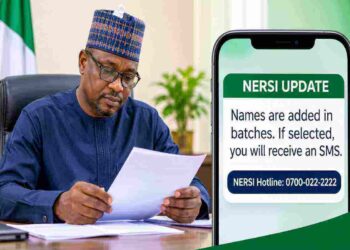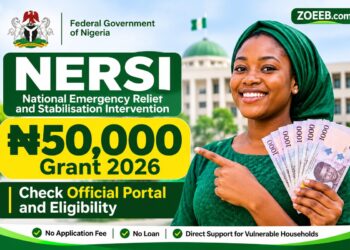


Beneficiaries selected for the Federal Government’s ₦50,000 National Emergency Relief and Stabilization Intervention (NERSI) can access their relief payments through approved payment providers, including MoMo.
For beneficiaries assigned to MoMo, receiving a selection confirmation SMS is only part of the process. You also need to give the required consent and have access to a MoMo account to receive and withdraw your money.
MoMo provides two ways to access its services: through its mobile application and USSD. Beneficiaries who do not have a smartphone can use the USSD option to open and access an account.
If you have received an official NERSI selection message indicating that MoMo is your payment provider, follow the steps below.
How to Access Your NERSI ₦50,000 Payment Through MoMo
There are three main steps beneficiaries should follow to access their NERSI relief payment through MoMo.
Step 1: Give Your Consent to Receive the NERSI Payment
The first requirement is to confirm your acceptance of the payment arrangement.
Dial *671*0# using the phone number associated with your NERSI beneficiary information and follow the instructions displayed on your screen.
This step allows you to give the required consent to receive your payment through MoMo.
Make sure you complete the instructions before proceeding to the next stage.
Step 2: Open or Access Your MoMo Account
You need a MoMo account to access money paid through the platform.
If you already have a MoMo account, open the mobile application and sign in with your registered details.
If you do not have an account, you can register using either of these methods:
Option 1: Using the MoMo App
Visit the Google Play Store or Apple App Store and download the official MoMo application. Open the application and follow the registration instructions to create your account.
Option 2: Using USSD
You can also use the USSD service without downloading an application.
Dial *671# on your mobile phone and follow the instructions to open a MoMo account.
This option is useful for beneficiaries who do not have smartphones or prefer to access their accounts without an internet connection.
Step 3: Check and Access Your NERSI Payment
After completing the consent process and account registration, check your MoMo account for the NERSI payment.
Once the Federal Government’s payment is credited to your account, you can access the available balance through the MoMo application or USSD service.
The approved NERSI relief amount is ₦50,000.
If you have completed the registration process but cannot see the money in your account, do not assume that your selection has been cancelled. Contact the appropriate support channel to establish the status of your payment.
What If You Have Not Received the NERSI ₦50,000 Payment?
Some beneficiaries may complete the consent and account-opening process without seeing the money immediately.
If this happens, first confirm that you used the correct phone number and completed the consent instructions successfully.
You should also check your account balance and transaction history for any payment notification.
If the money is still missing, contact MoMo customer support or the NERSI programme helpline for assistance.
Avoid repeatedly submitting payment requests or creating multiple accounts in an attempt to receive the same grant.
Safety Tips for NERSI Beneficiaries Using MoMo
As beneficiaries follow the payment instructions, they should protect their personal and banking information.
Keep these precautions in mind:
- Do not pay anyone: The NERSI ₦50,000 relief payment is free. No agent, individual or intermediary should demand money before you can receive your grant.
- Protect your PIN: Never disclose your MoMo PIN to anyone, including people claiming to be payment agents.
- Do not share OTPs: A one-time password is meant to protect your account. Do not give it to anyone over the phone or through social media.
- Avoid suspicious links: Access MoMo through its official application or USSD service. Do not follow unofficial links claiming to activate or release your NERSI payment.
- Use your correct details: Make sure you use the phone number and personal information associated with your beneficiary registration.
- Beware of fake payment agents: Anyone promising to speed up your payment in exchange for a fee should be treated with caution.
MoMo account registration and access to the NERSI grant should not require you to pay an unofficial processing fee.
NERSI Helpline for Payment Enquiries
Beneficiaries who need clarification about their selection, consent or payment status can contact the NERSI helpline.
NERSI Helpline: 0700-022-2222
You can also visit the official MoMo website at https://www.momo.ng for information about its services.
When making an enquiry, explain the problem you are experiencing and provide relevant transaction information where necessary. Never disclose your PIN or OTP to anyone assisting you.
Frequently Asked Questions About NERSI Payment Through MoMo
1. What is the USSD code for accepting NERSI payment through MoMo?
The consent code provided for beneficiaries is *671*0#. Dial it and follow the instructions to accept the payment arrangement.
2. What is the MoMo USSD code?
Dial *671# to access MoMo services and follow the instructions to open or access an account.
3. Can I receive my NERSI grant without downloading the MoMo app?
Yes. Beneficiaries can use the MoMo USSD service by dialling *671# instead of accessing their accounts through the mobile application.
4. How much will selected NERSI beneficiaries receive through MoMo?
The approved NERSI relief grant is ₦50,000 for selected beneficiaries.
5. Does opening a MoMo account mean my NERSI payment has been credited?
No. Opening an account and giving consent do not automatically mean the money has been credited. You must check your account balance and payment history to confirm receipt.
Conclusion
Beneficiaries assigned to MoMo for the Federal Government’s NERSI ₦50,000 relief payment should complete the consent process, open or access their MoMo accounts and check for the payment.
Dial *671*0# to give your consent and *671# to access MoMo services through USSD.
Remember that the NERSI intervention is free. Do not pay anyone to activate your grant, and never share your account PIN or OTP with another person.
All rights reserved. This material, and other digital content on this website, may not be reproduced, published, broadcast, rewritten or redistributed without prior written permission.
???? Stay Empowered with ZOEEB
Join our community for daily updates on jobs, skills, and financial growth opportunities.