
If you have submitted a business name, company or other registration application to the Corporate Affairs Commission (CAC), you can check its progress from your CAC account on the official Company Registration Portal (CRP).
The status can tell you whether your application is still being processed, has been queried and needs your attention, or has been approved. For some applications, CAC also sends an email notification when the application is approved or queried.
This guide explains how to check your CAC application status, what the common status messages mean and what to do if your application is pending, queried, approved or your payment has not reflected.
Quick Answer: How Do I Check My CAC Application Status?
To check your CAC application status:
- Open the official CAC Company Registration Portal.
- Log in with the account you used to submit the application.
- Go to your dashboard.
- Locate the application you submitted.
- Check the status displayed against the application.
- If it says Queried, open the query details, correct the issue and resubmit the application.
- If it says Approved, follow the available option to download your certificate or status report where applicable.
Open the official CAC Company Registration Portal (CRP)
CAC identifies the iCRP as its official Company Registration Portal for registering and managing businesses and companies.
How to Check CAC Application Status Step by Step
Step 1: Open the official CAC portal
Go to the CAC Company Registration Portal: https://icrp.cac.gov.ng/
Make sure you are using the official CAC website before entering your login details or making any payment.
The portal is used to create an account and manage Business Name and Company registration activities.
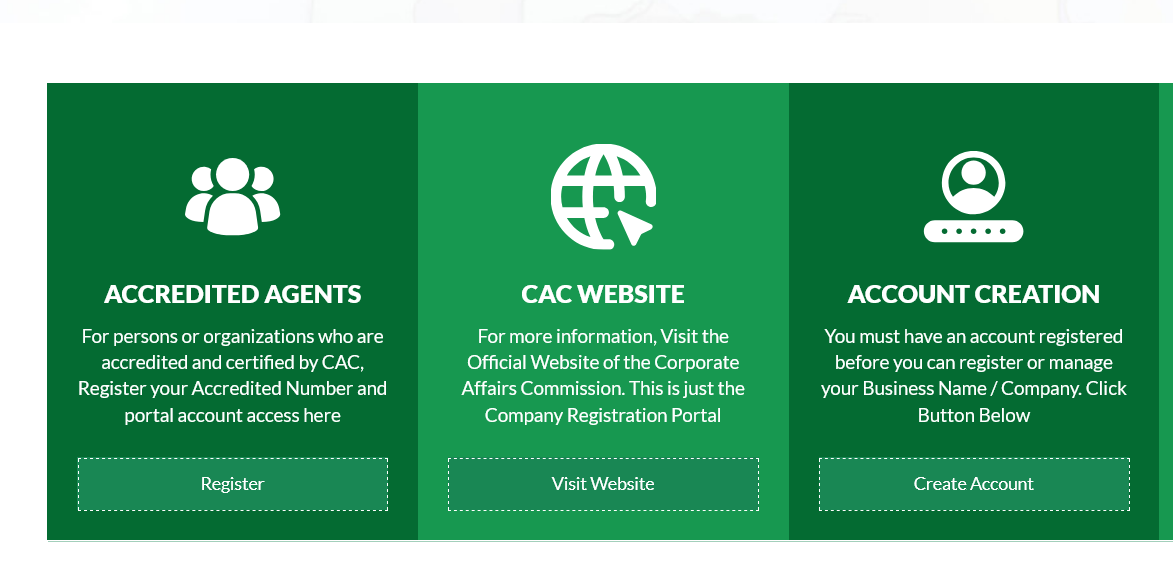
Step 2: Log in to your CAC account
Sign in using the account you used when submitting your application.
If you cannot remember your password, CAC’s FAQ says you can use the Forgotten Password option and follow the link sent to your email.
CAC also says users may log in with their email address, phone number or accreditation number, depending on the account details used during registration.
If you see an Invalid Username or Password message, first confirm that you are using the correct login details.
Step 3: Open your dashboard
After logging in, go to your dashboard.
Your submitted application should appear there. The current CAC user guide instructs applicants to track their application status from the dashboard after submission.
Look for the application you want to check and identify the status displayed against it.
Step 4: Check the application status
The exact status options can depend on the type of application you submitted.
For Business Name registration on the current iCRP, CAC specifically identifies statuses including:
- Pending
- Queried
- Approved
CAC’s current guide explains what applicants should do for each of these statuses.
What Does “Pending” Mean on CAC?
A Pending application has not yet reached approval.
For Business Name applications using the current CAC system, CAC says a pending application is being reviewed by its AI approval system. The Commission advises the applicant to wait briefly and refresh the dashboard.
If your application remains pending, check your dashboard again later.
Do not submit a completely new application simply because the status has not changed unless CAC instructs you to do so. Creating another application could result in unnecessary duplicate applications or payments.
For other types of registration, processing may involve manual review, so the meaning and processing time can differ. CAC says that company, Incorporated Trustee and other registration processes have different service timelines.
What Does “Queried” Mean on CAC?
A Queried application means CAC has identified an issue that needs to be addressed before the application can proceed.
This does not necessarily mean that your application has failed.
For Business Name applications, CAC instructs users with a queried application to:
- Click Action.
- Select View Query History to see the reason for the query.
- Select Modify Application.
- Correct the information or upload what is required.
- Resubmit the application.
Read the query carefully before making changes. If CAC asks you to correct a name, address, identification document or another part of the application, address the specific issue raised.
What if CAC asks for a document that is not listed?
CAC says that a relevant document requested during a query that is not listed among the available upload options can be uploaded under OTHERS.
What Does “Approved” Mean on CAC?
An Approved status means the application has been approved.
For the current Business Name registration process, CAC says an approved application can be followed by selecting Action and using the options to download the certificate and status report.
If your application shows approved but the document is not available, first refresh your dashboard and check the application options again.
If the document still does not appear, contact CAC support rather than paying another person to “release” the certificate.
How Long Does CAC Take to Process an Application?
CAC publishes service timelines for its registration services.
Under its current revised service timelines, CAC lists 24 working hours for new company and Business Name registrations, subject to receipt of the relevant documents or compliance with any query raised. Other registration categories have different timelines.
This means the published timeline should not be treated as a guarantee that every application will be approved within exactly that period.
If CAC raises a query, the application may need to be corrected before processing can continue.
What If My CAC Application Is Still Pending?
If your application is showing Pending:
- Log in to your CAC dashboard again.
- Confirm that the application was actually submitted.
- Refresh the dashboard.
- Check your registered email for CAC notifications.
- If it is a Business Name application using the current iCRP, allow the system time to complete its review.
- If the application has stayed unresolved beyond the relevant CAC service timeline, contact CAC support.
For Business Name applications, CAC specifically advises applicants with a pending status to wait briefly and refresh the dashboard because the AI system is reviewing the application.
What If My CAC Application Is Queried?
Do not ignore a query.
Open the application and check the Query History to find out what CAC wants you to correct.
Then modify the application, provide the requested information or document and resubmit it. CAC’s current user guide specifically provides this process for queried applications.
If you do not understand the query, read the exact comment first. Avoid making random changes to other parts of the application.
What If My CAC Payment Has Not Reflected?
A payment problem can make it appear as though an application has not progressed.
CAC says that if you have been debited but the filing fee or stamp duty has not reflected on the portal, you should log in and use the Check Payment Status or Check Status/Pay Stamp Duty option against the application.
If the payment still does not reflect, CAC advises contacting its support channels or your bank.
Keep your payment evidence, including the Remita Retrieval Reference (RRR), if available. This can be important when reporting a payment problem.
What If I Cannot Log in to My CAC Account?
If CAC shows Invalid Username or Password, check that you are using the correct credentials.
If you have forgotten your password, use the Forgotten Password option.
For a User not authorized error, CAC recommends checking your internet connection, trying another browser or clearing your browser cache. The Commission also warns that repeated unsuccessful login attempts can lock the account.
If the problem continues, CAC says you can lodge a complaint through its Support Center.
What If My Application Details Are Incorrect?
Do not assume that you should simply create another application.
If you discover an error, first check whether the application can still be modified through the portal.
CAC also advises users to carefully check their information at the Preview stage before submitting an application.
If the application has already been submitted and the portal does not provide an option to correct the information, contact CAC for guidance.
How Will I Know When CAC Approves or Queries My Application?
CAC says applicants receive an email notification once their application is approved or queried. You should therefore monitor the email address attached to your CAC account as well as your portal dashboard.
However, do not rely only on email. Log in to the portal and check the application status directly.
When Should You Contact CAC?
Contact CAC if:
- Your payment was successful but is not reflected.
- You cannot access your application after submitting it.
- Your account will not allow you to log in.
- Your application remains unresolved beyond the applicable CAC service timeline.
- Your certificate should be available but cannot be downloaded.
- You do not understand a query or cannot resolve it through the portal.
- The portal repeatedly displays an error that prevents you from completing the process.
CAC’s official contact page lists its support channels and customer service contact details.
CAC Official Contact and Support Page
CAC Application Status: What You Should Do Next
The most important thing is to check the status from the same CAC account used to submit the application.
If it is Pending, check again after some time.
If it is Queried, open the query history, correct the issue and resubmit.
If it is Approved, check the available download options for your certificate and status report.
If payment, login or document problems prevent you from completing the process, use CAC’s official support channels rather than relying on unofficial agents.
CAC’s published service timelines, fees, requirements and portal procedures can change. Before making a payment or submitting sensitive information, confirm the current details directly on the official CAC website and portal.
Frequently Asked Questions
How do I check my CAC application status?
Log in to the official CAC Company Registration Portal and check your application from the dashboard. The current CAC user guide directs applicants to track their application status from the dashboard.
What does pending mean on CAC?
For Business Name applications on the current iCRP, CAC says pending means the AI system is reviewing the application. Applicants are advised to wait briefly and refresh the dashboard.
What does queried mean on CAC?
It means CAC has raised an issue that needs to be addressed. Open Action → View Query History, check the reason, modify the application and resubmit it.
How do I know if my CAC application has been approved?
Check your CAC dashboard. CAC also says applicants receive an email notification when an application is approved or queried.
What should I do if CAC debited me but payment is not showing?
Log in and use the Check Payment Status or Check Status/Pay Stamp Duty option against the application. If the payment still does not appear, CAC advises contacting its support channels or your bank.
How long does CAC take to approve an application?
CAC’s current published timeline for new company and Business Name registrations is 24 working hours, subject to receiving the relevant documents or compliance with a query. Other services have different timelines.
???? Stay Empowered with ZOEEB
Join our community for daily updates on jobs, skills, and financial growth opportunities.