
Applicants registering for the 2027 INEC ad-hoc staff recruitment may encounter problems receiving the OTP required to activate their INECPRES accounts.
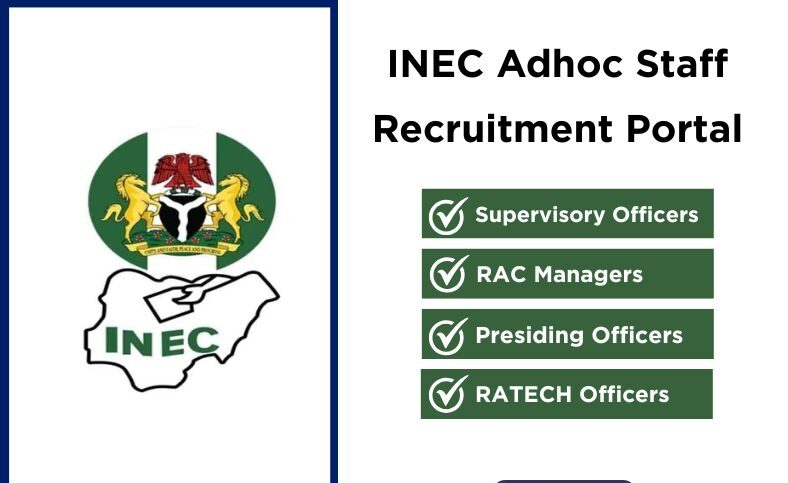
The Independent National Electoral Commission (INEC) has activated the INECPRES recruitment platform for Nigerians interested in serving as ad-hoc staff during the 2027 General Election. The registration period is scheduled to run from September 18, 2026, at 8:00 a.m. to November 18, 2026, at 12 midnight.
One of the issues applicants may face after creating an account is not receiving the activation OTP. Others may encounter login messages such as “Invalid email or password” or “An account with this email address already exists.”
If you have registered but your INECPRES OTP has not arrived, there are several things you can check before attempting to create another account.
Why You May Not Be Receiving Your INECPRES OTP
The OTP is a temporary verification code used to confirm an applicant’s email address or complete the account activation process.
According to the recruitment information, applicants experiencing OTP problems may be dealing with a technical or email-delivery delay.
The first step is to check the email account used when registering on INECPRES.
Check your:
- Inbox
- Spam or Junk folder
- Promotions folder
- Updates folder
The activation email may not always appear in the main inbox.
How to Resolve INECPRES OTP Issues
If you have not received your OTP, follow these steps:
1. Check the Email Address You Used
Confirm that the email address entered during registration is correct.
If there is a spelling mistake in the email address, the OTP may not reach you.
2. Check Your Spam and Junk Folders
Search your email account for the INECPRES activation message.
Do not check only the main inbox. Also look through your spam, junk, promotions and updates folders.
3. Wait Before Requesting Another OTP
Do not repeatedly request new codes immediately after registering.
Give the system some time to send the activation message before trying again. Repeated requests may result in multiple verification messages and make it difficult to know which code to use.
4. Check Your Email Again Later
If the OTP does not arrive immediately, check your email again after some time.
The recruitment platform may experience delays when many applicants are trying to register at the same time.
5. Do Not Create Another Account
If you have already registered, avoid creating another account simply because the OTP has not arrived.
This is particularly important because the INECPRES system may later display an “An account with this email address already exists” message when you attempt to register again.
If that message appears, the email address is already registered on the system and you should try to access the existing account instead.
6. Contact the INEC Helpdesk
If you have checked your email folders and waited for the OTP but still cannot activate your account, contact the INEC IT service management helpdesk.
The recruitment notice lists the following contact channels:
- 0700-CALL-INEC
- 4632 – INEC short code
- inecpress@inec.gov.ng
The notice also provides additional helpdesk mobile numbers for technical support.
When contacting support, keep details of the problem available, including the email address used for registration and any genuine error message displayed by the portal.
What If INECPRES Says “Invalid Email or Password”?
If you eventually receive the OTP and activate your account but cannot log in, you may see the message:
“Invalid email or password. Please check your credentials and try again.”
First, confirm that you are entering the correct email address and password.
Also check that:
- Your password is entered correctly.
- Caps Lock is not affecting your password.
- Your account has been activated.
- You are accessing the correct INECPRES platform.
Applicants who have forgotten their password can use the Password Recovery option on the login page.
What to Do If the INECPRES Portal Is Slow
OTP delays can also occur when a large number of applicants are accessing the recruitment platform at the same time.
If the portal is slow or temporarily unavailable, applicants can try again later rather than repeatedly submitting the registration form.
Other steps include using a stable internet connection, clearing the browser cache, trying another browser and using a laptop or desktop for the web version where appropriate.
Is INECPRES Recruitment Free?
Yes. The recruitment notice states that registration for INEC ad-hoc staff is free.
Applicants should not pay anyone to provide an OTP, activate an account, register on their behalf or guarantee selection.
Do not share your password or OTP with another person.
The INECPRES recruitment is scheduled to remain open until November 18, 2026, at 12 midnight. Applicants experiencing OTP problems should first check their email folders, allow time for the message to arrive and contact the official INEC helpdesk if the problem persists.
???? Stay Empowered with ZOEEB
Join our community for daily updates on jobs, skills, and financial growth opportunities.